Skip to content

FOR MACOS 13.5+ · INTEL & APPLE SILICON

Your Mac stays awake
on your terms.

Awake lives in the menu bar and holds your Mac exactly as awake as you want — by schedule, by Bluetooth device, by WiFi network, by power state, or by hand.

15 days, full strength · no account · signed & notarized

All updates →

THE DEAL

Perpetual key · a year of updates
Up to 3 Macs · license by email

SEE IT WORK
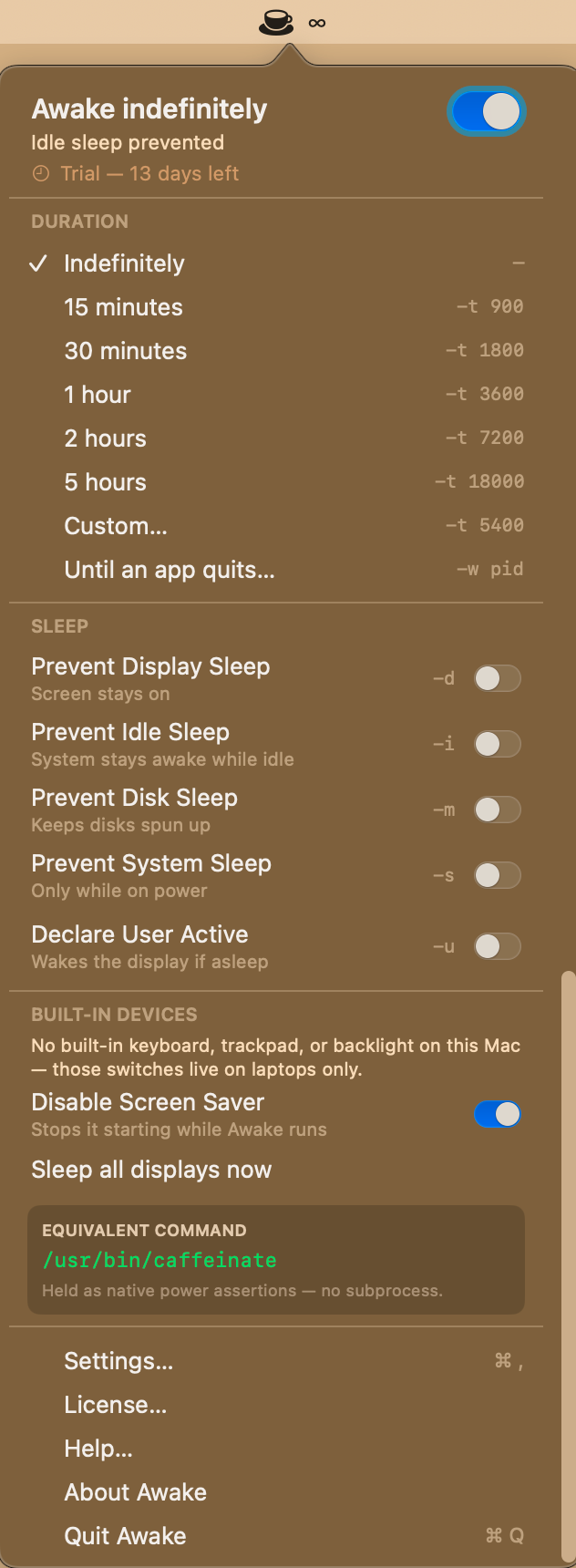
The Awake menu bar panel: the main toggle with the trial state, timed durations shown with their caffeinate flags, and each kind of sleep as its own switch
The menu — Everything Awake does, one click from the menu bar. The big switch at the top turns it on; below it you pick how long, and which kinds of sleep to hold off. The grey text on the right is the matching caffeinate flag, so you can see exactly what is being asked of macOS.
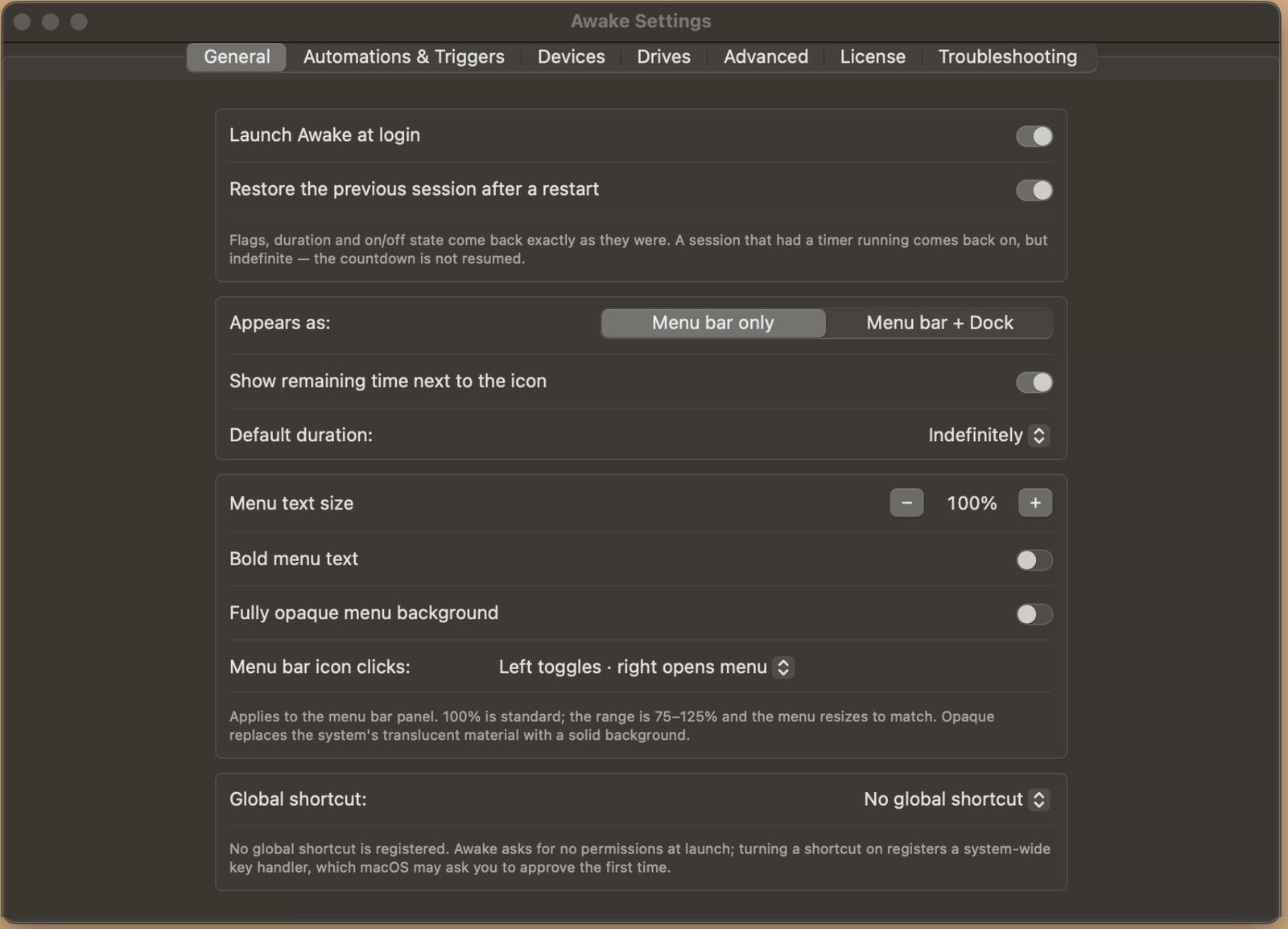
Awake Settings, General: launch at login, restore the previous session, menu bar only or menu bar plus Dock, menu text size, and the optional global shortcut
Settings · General — The basics: start Awake at login, come back the way you left it, and choose whether it lives in the menu bar alone or the Dock as well. The menu itself can be resized between 75% and 125% if the default type is too small.
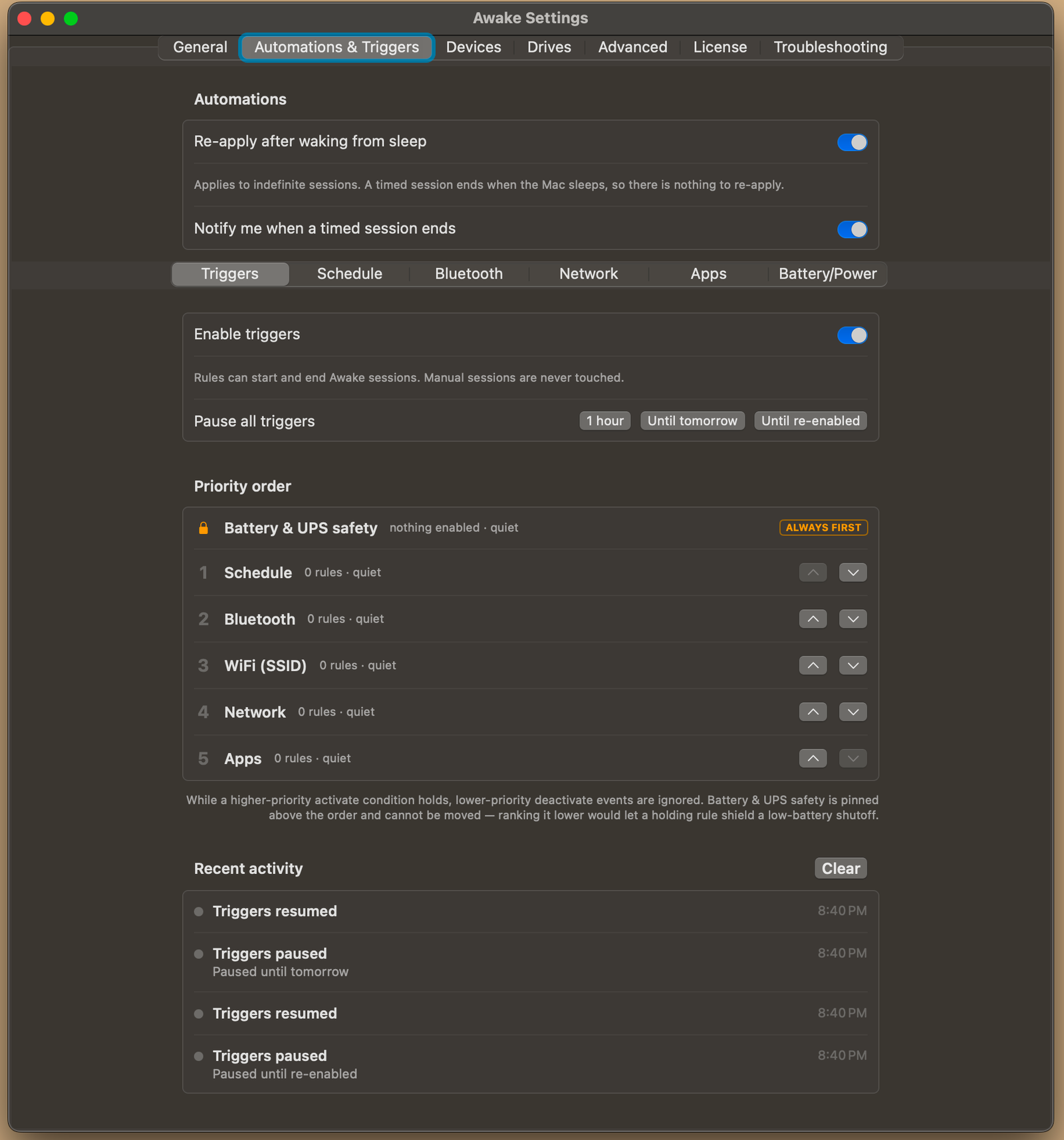
Awake Settings, Automations and Triggers: enable or pause all triggers, the pinned Battery and UPS safety row, the rule priority order, and recent activity
Settings · Triggers — The master switch for automation, plus the order rules are judged in. While a higher rule is holding the Mac awake, a lower one cannot end the session. Battery and UPS safety is pinned above everything and cannot be moved down, so a holding rule can never shield a dying battery.
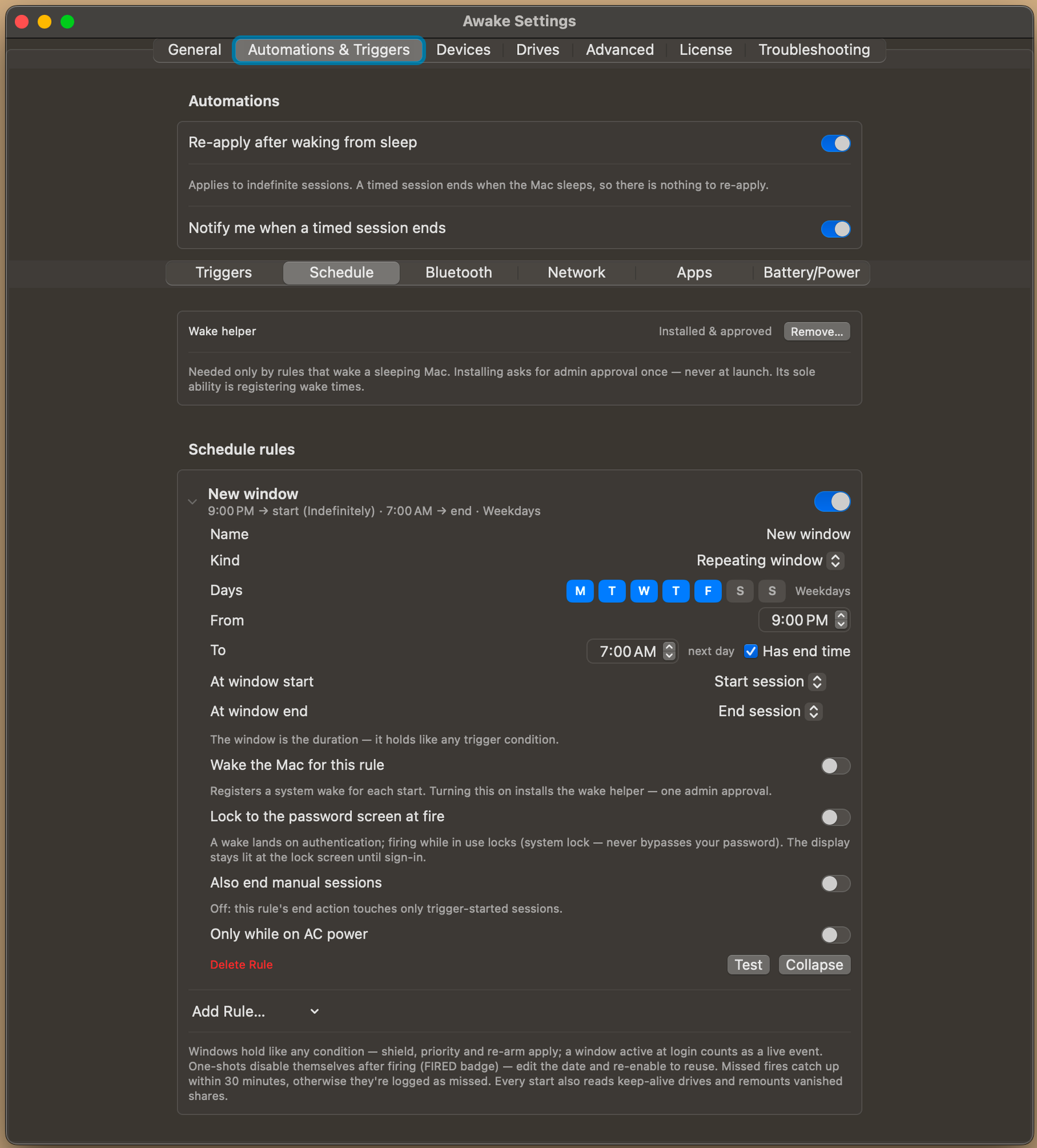
Awake Settings, Schedule rules: a repeating weekday window from 9 PM to 7 AM with wake, lock and AC-power options
Settings · Schedule — Awake on a clock. A repeating window runs 9 PM to 7 AM on weekdays; the window itself is the duration, so the session ends when the window does. It can wake a sleeping Mac to do it, and land on the lock screen rather than an open desktop.
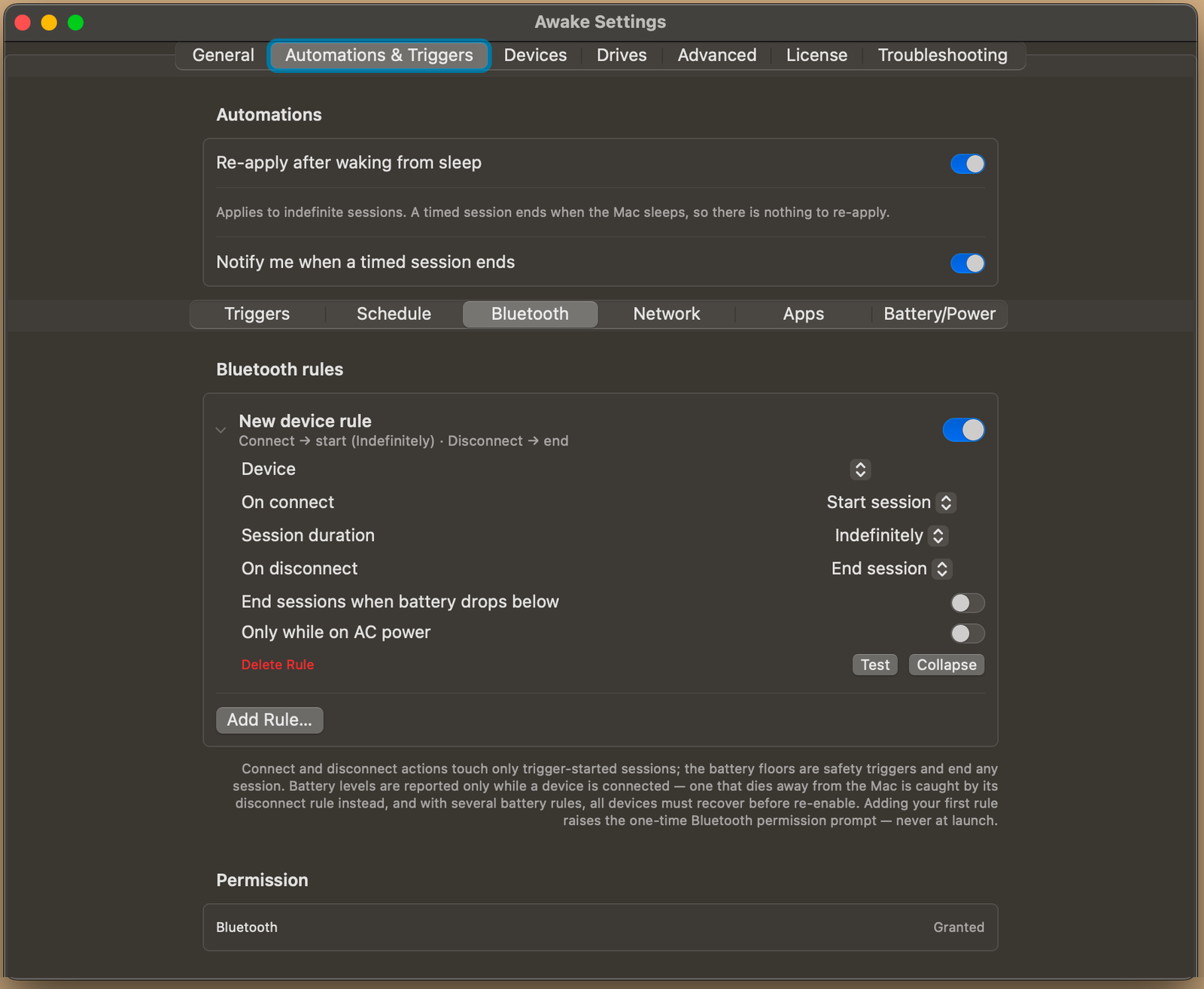
Awake Settings, Bluetooth device rules: start on connect, end on disconnect, with battery floor and AC-power conditions
Settings · Bluetooth — Awake follows a device. Connect your headphones and a session starts; disconnect and it ends. Battery floors here are safety rules — they end any session, not just ones a trigger started. The Bluetooth permission is asked only when you add your first rule, never at launch.
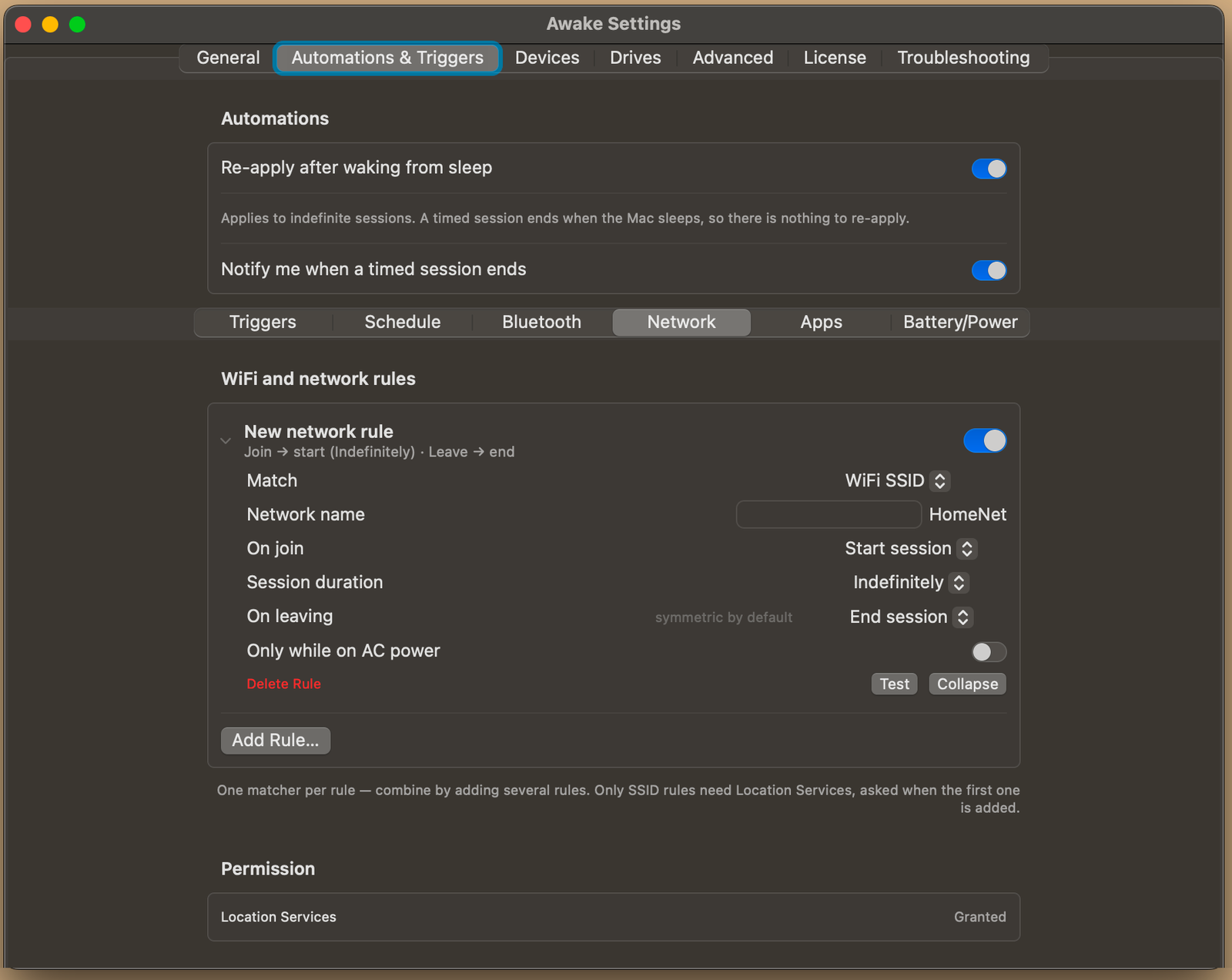
Awake Settings, WiFi and network rules: match an SSID, start on join, end on leaving, with the Location Services permission row
Settings · Network — Awake follows the network. Join a named WiFi network and a session starts; leave and it ends. One matcher per rule — SSID, gateway, IP range, domain, interface or VPN — and you combine them by adding more rules. Only SSID rules need Location Services.
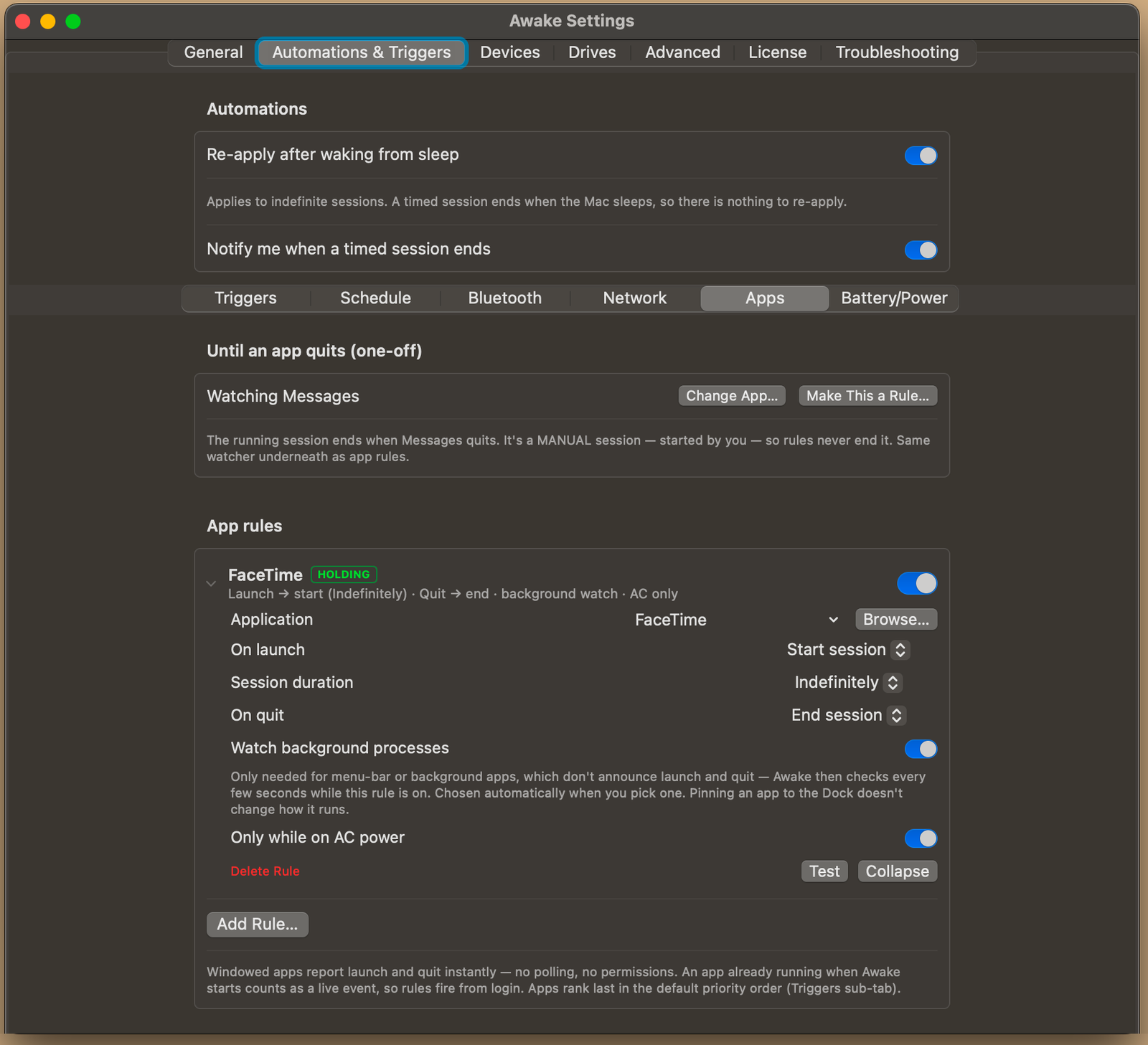
Awake Settings, App rules: a FaceTime rule badged HOLDING, with background-process watching and an AC-power condition
Settings · Apps — Awake follows an app. While FaceTime is running the Mac stays up; quit it and the session ends. Windowed apps report launching and quitting instantly, so nothing is polled. The HOLDING badge means this rule is what is keeping the Mac awake right now.
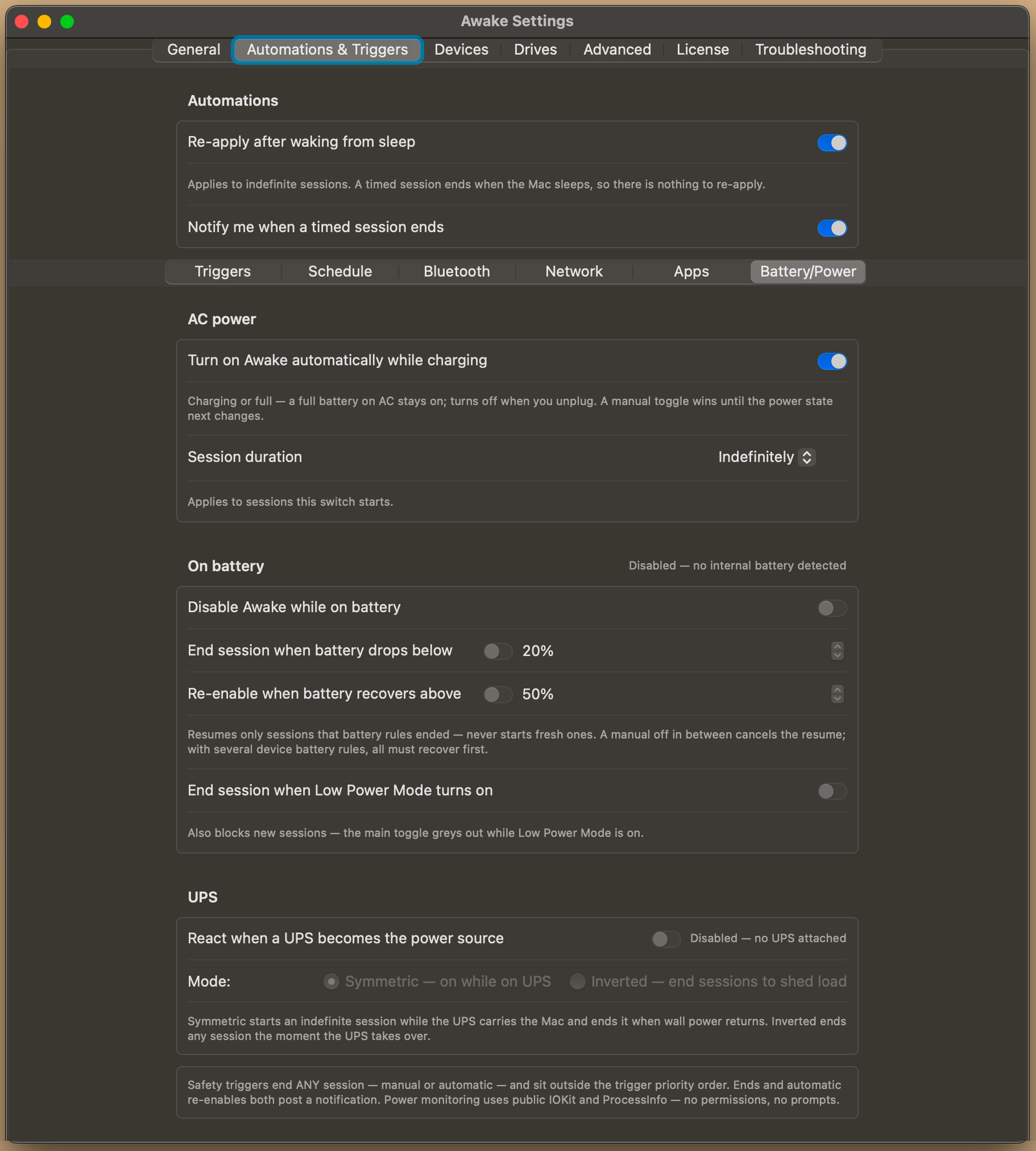
Awake Settings, Battery and Power: turn on while charging, battery floors with recovery, Low Power Mode handling, and UPS behavior
Settings · Battery and power — The safety net. Awake can turn itself on while charging, stand down on battery, and end a session when the charge falls through a floor — then resume by itself once it recovers. Safety rules end any session, including one you started by hand.
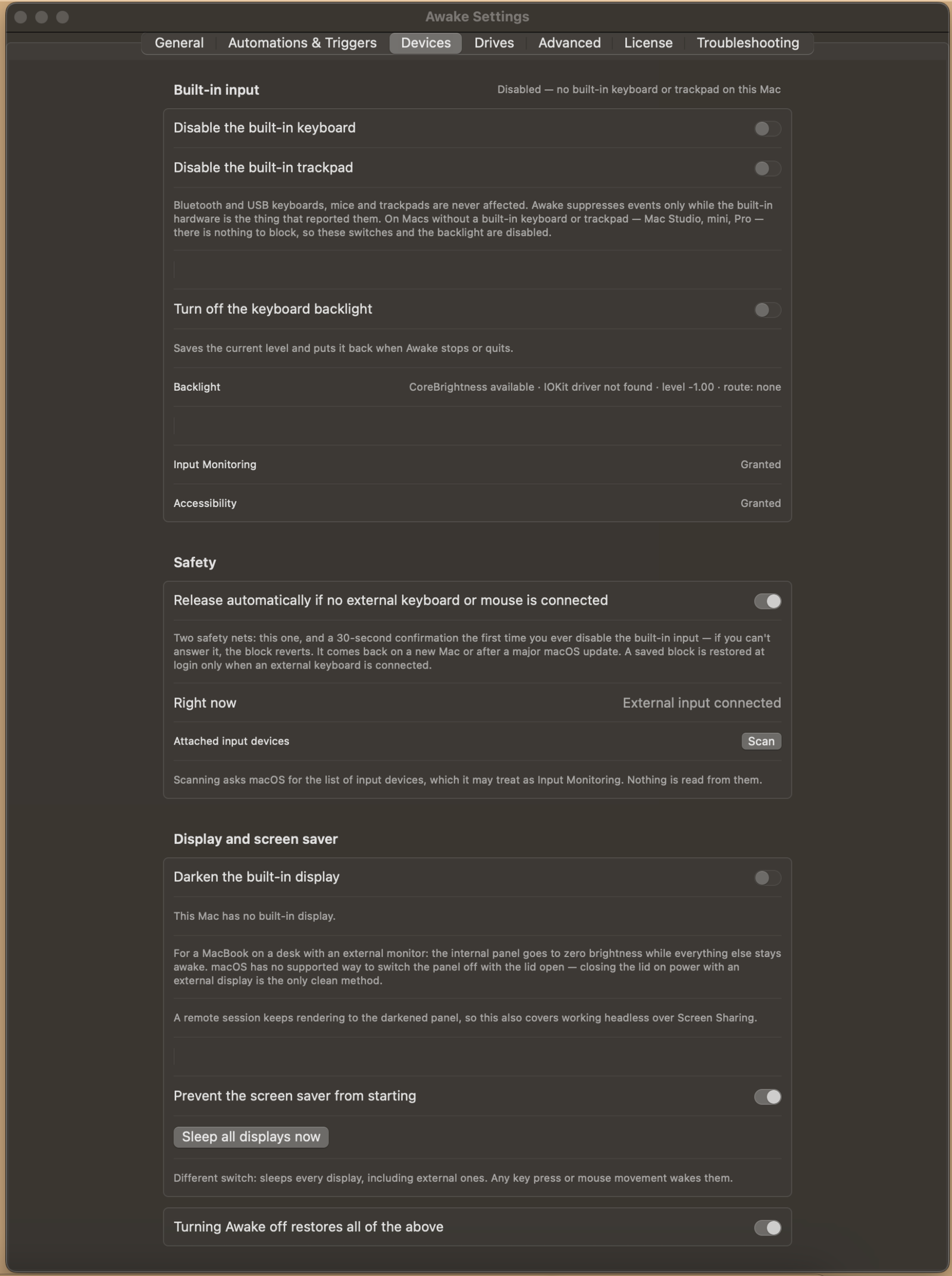
Awake Settings, Devices: disable the built-in keyboard, trackpad and backlight, with the automatic-release safety net and display controls
Settings · Devices — For a Mac left running somewhere it might get touched. Awake can quiet the built-in keyboard, trackpad and backlight while it runs — external keyboards and mice are never affected. Two safety nets guard it, and turning Awake off restores everything.
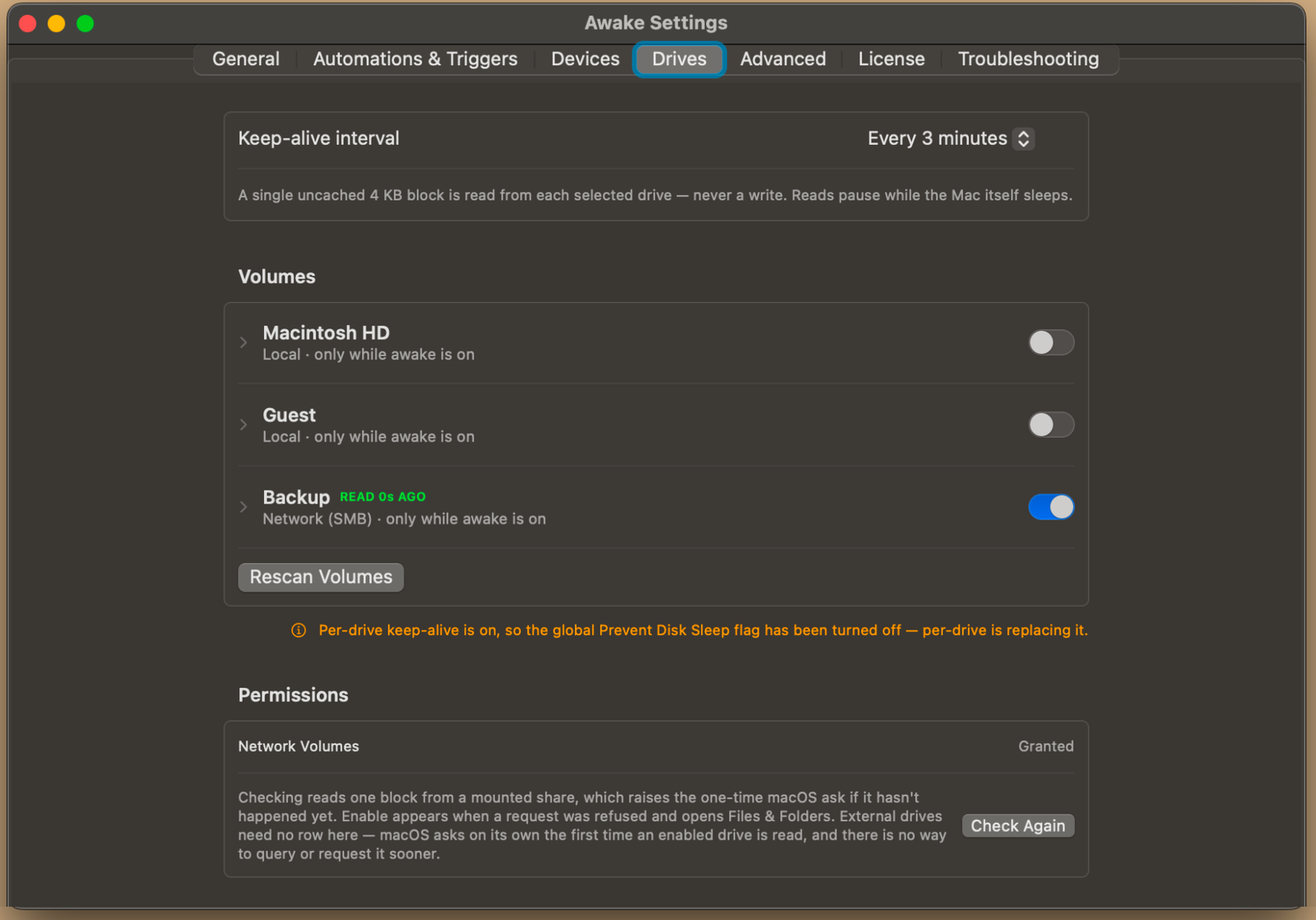
Awake Settings, Drives: the keep-alive interval and the list of volumes, with a network share enabled and read moments ago
Settings · Drives — Keeps chosen disks from spinning down. Awake reads a single 4 KB block from each selected drive on an interval — a read, never a write — which is enough to stop a drive or an SMB share dropping out mid-job.
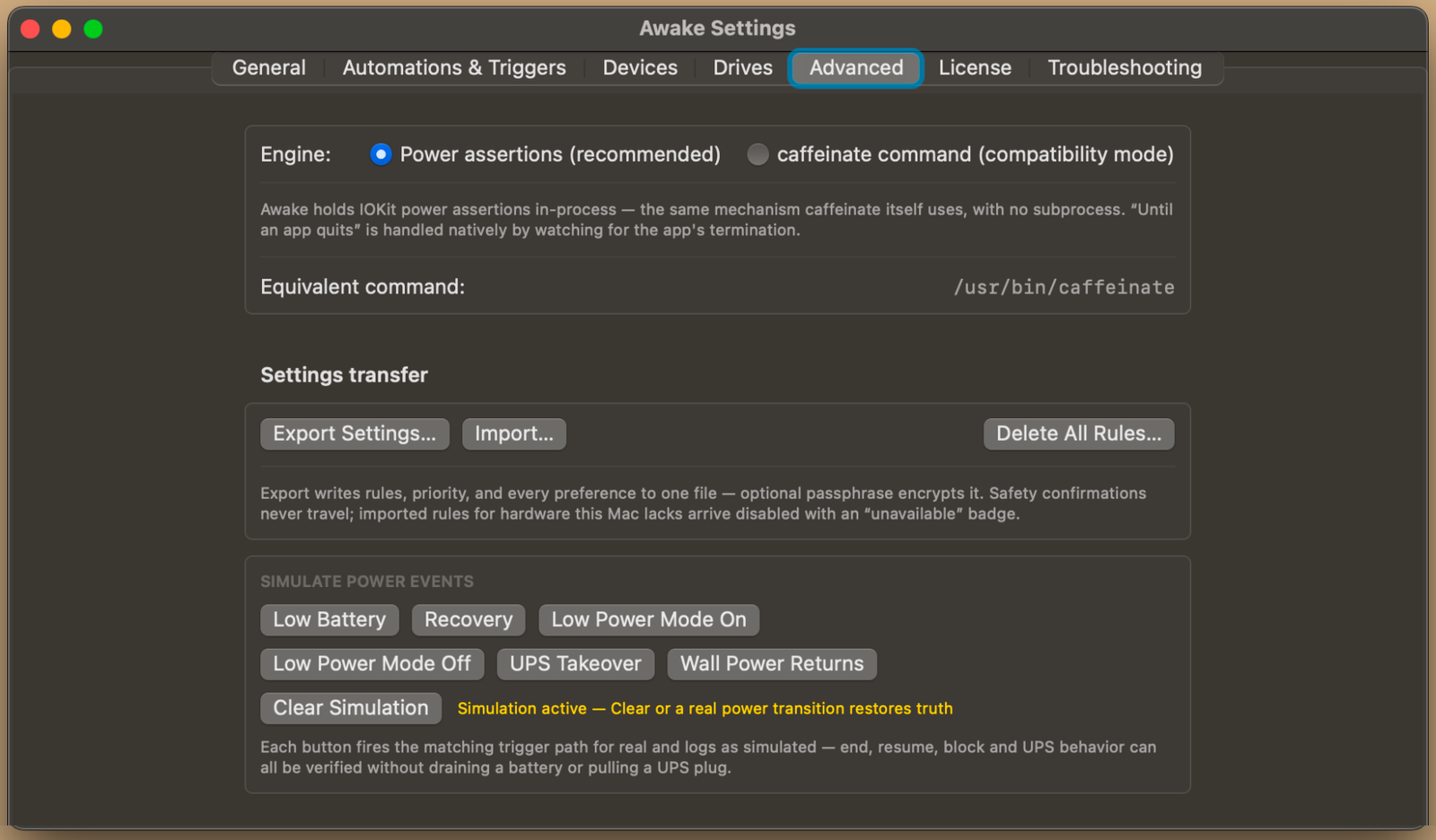
Awake Settings, Advanced: the engine choice, settings export and import, and buttons that simulate power events
Settings · Advanced — Under the hood. Awake normally holds power assertions in-process, the same mechanism caffeinate uses, with no child process; compatibility mode runs the real binary instead. Settings export to one file, and the simulate buttons let you test battery and UPS behavior without draining anything.
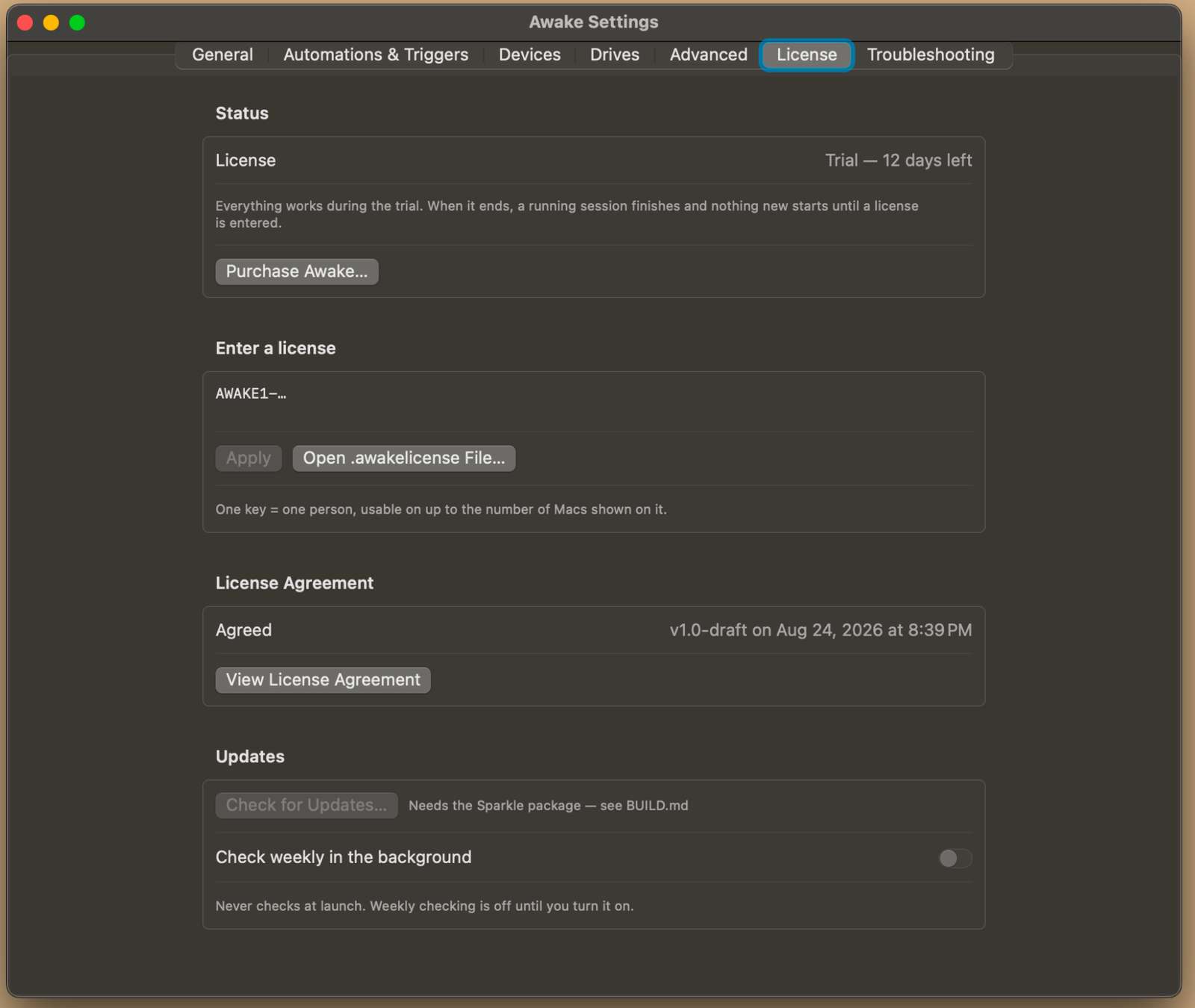
Awake Settings, License: trial days remaining, the license entry field, the agreed license agreement, and update checking
Settings · License — Where the trial stands and where your key goes. Everything works during the trial; when it ends, a running session finishes and nothing new starts until a license is entered. Paste the key or open the .awakelicense file you were emailed.
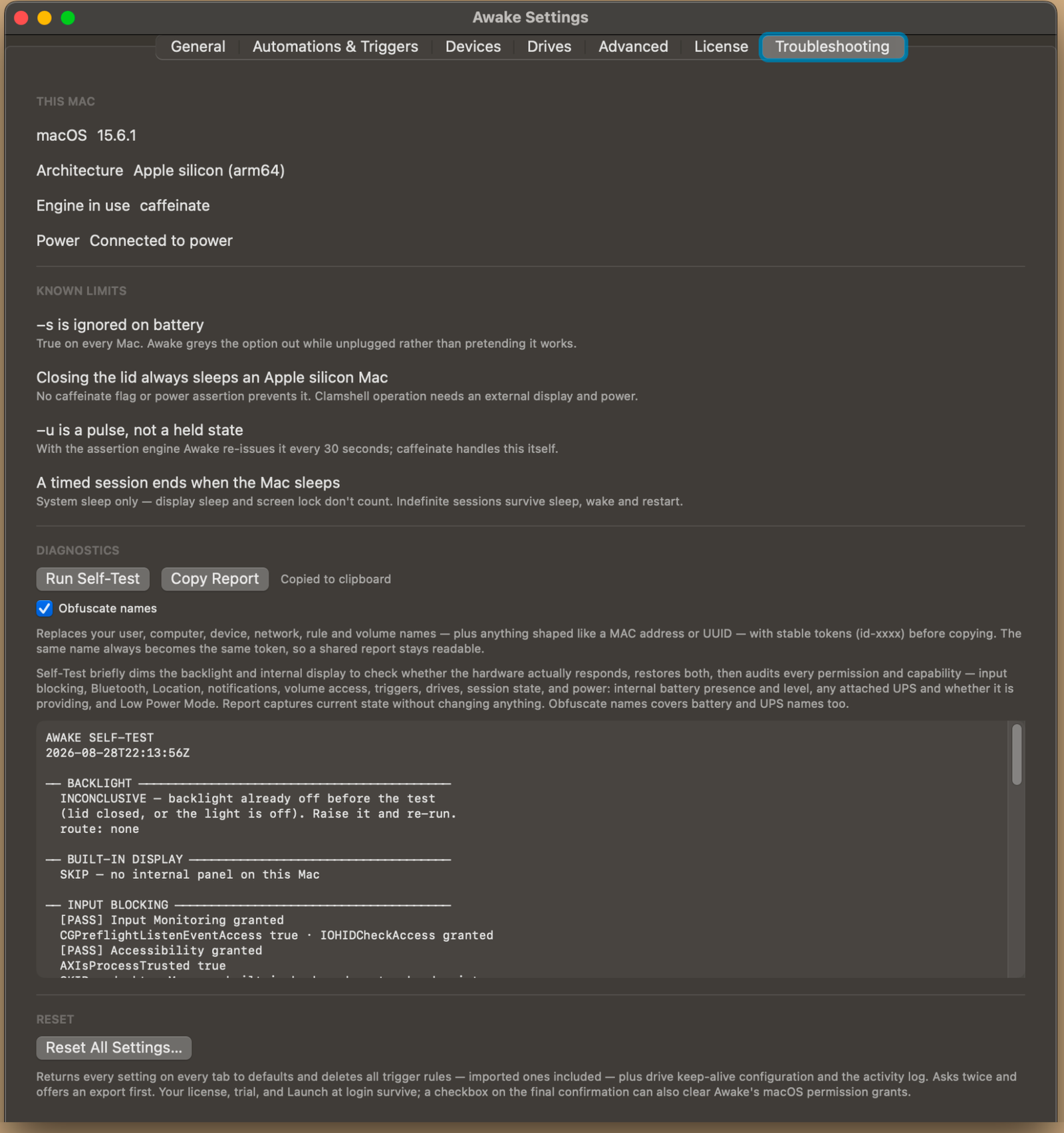
Awake Settings, Troubleshooting: this Mac's details, the known limits, the self-test output, and the reset control
Settings · Troubleshooting — What this Mac can and cannot do, stated plainly — including the limits no app can work around, like an Apple silicon Mac always sleeping when the lid closes. Run Self-Test checks every permission and capability, and Copy Report can replace your names with stable tokens before you send it.
A macOS notification reading: Awake finished — your Mac can sleep normally again
The notification — When a timed session ends, Awake says so and gets out of the way. No badge, no sound, nothing left running.
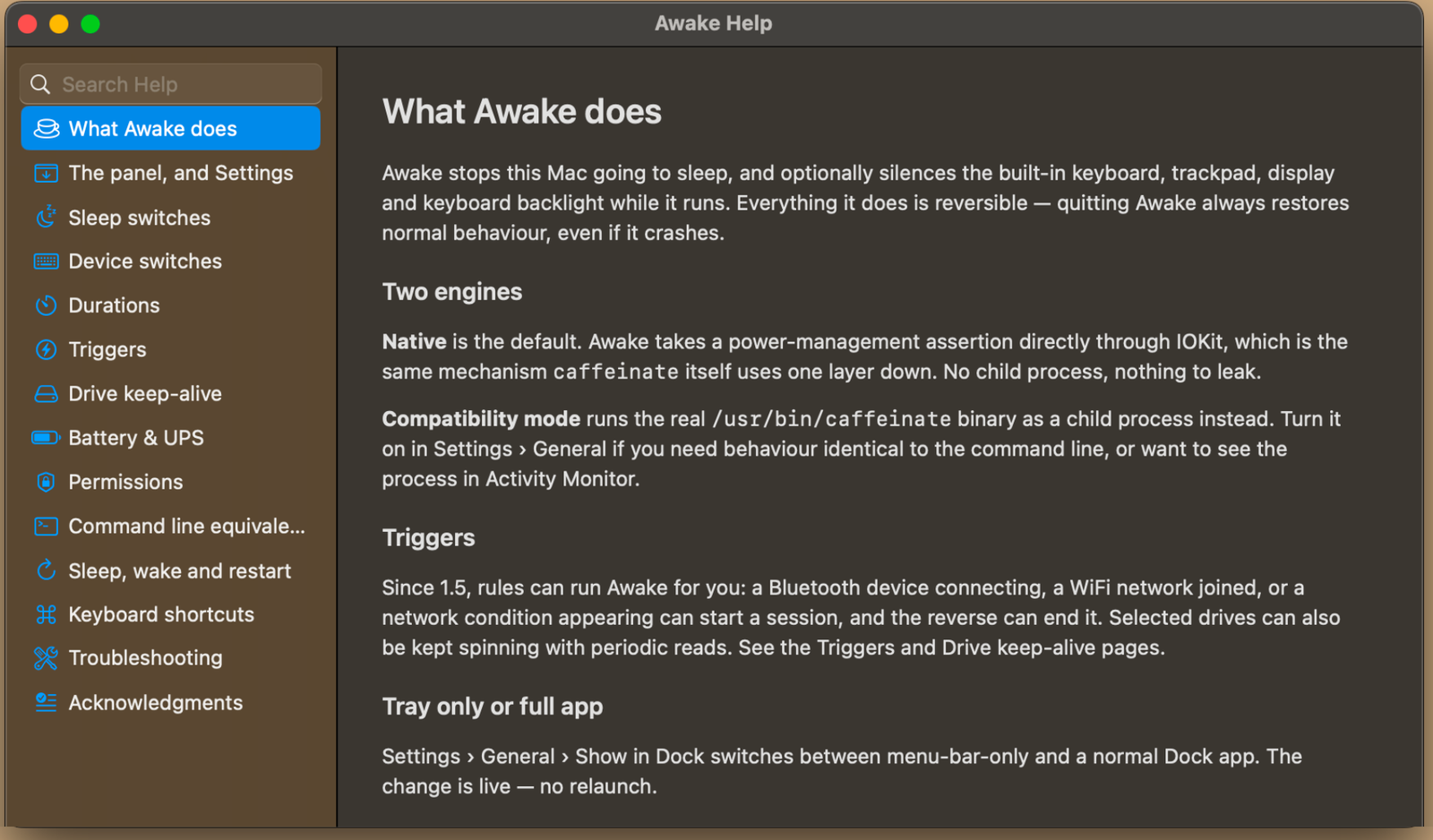
The Awake Help window: a searchable contents list beside the What Awake does page
Built-in help — The whole manual ships inside the app and works offline. Every switch, every rule type, the permissions each one needs, and the command-line equivalents.
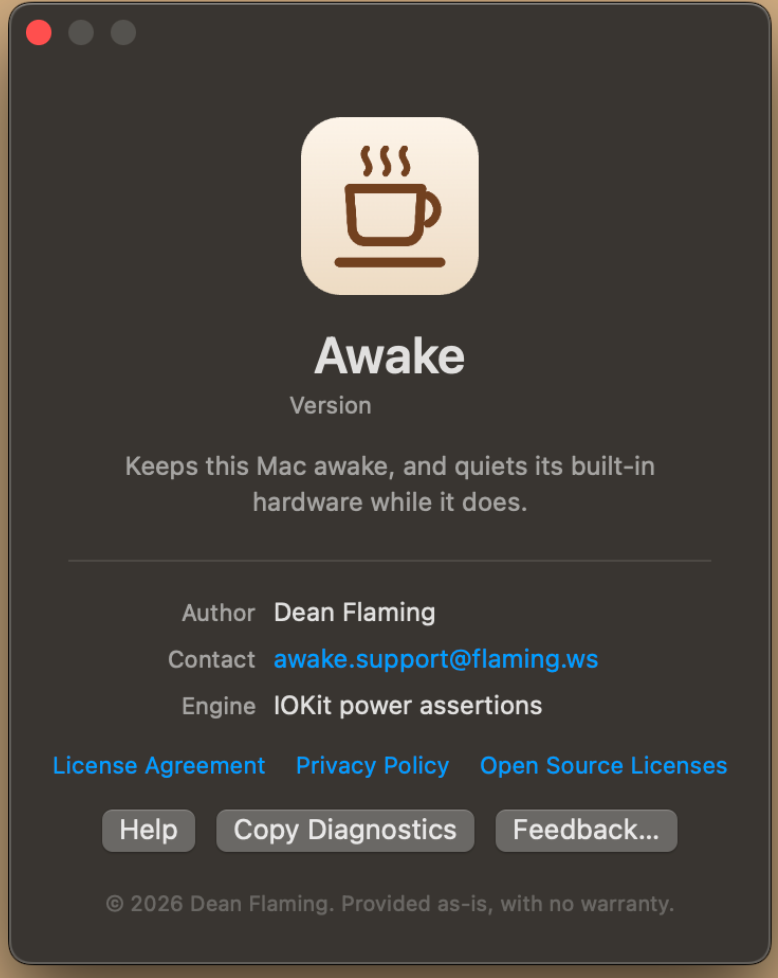
The Awake about window: version, author, contact address, engine in use, and links to the legal documents
About — Who wrote it and how to reach him. The license agreement, the privacy policy and the open source licenses are all one click away, and Copy Diagnostics gathers what support would ask for.

All updates →

Triggers

Headphones on, awake. Off home WiFi, asleep. Priorities, durations, a readable log.

Battery floors

End below 20%, resume above 50%, honor Low Power Mode, understand a UPS.

Input guard

Lid open, built-in keyboard and trackpad silenced — a cat or a bag can't nudge what's on screen. Backlight off, panel dimmable, externals untouched.

Drives

Keep chosen disks and shares warm with read-only sips, not the whole bus.

$14.99
/ year
FIRST YEAR

Then $19.99/yr from your second year. Up to 3 Macs.


  • Keys are perpetual — the app never stops working
  • A year of updates; renew only if you want more
  • License arrives by email in minutes

Apple Pay, Google Pay, Cash App, and Afterpay: use “Buy with Square.” Credit and bank cards work with either button.

Checkout is temporarily unavailable for site maintenance — check back soon. Downloads and the free trial are unaffected.